Helpdesk System Script
Launch a self-hosted helpdesk where customers submit support tickets by department and each department is handled by its assigned administrator.
- Free Installation Included
- Live demo access
- Single-domain script license
What Is the Helpdesk System Script?
The Helpdesk System Script is a self-hosted support-ticket platform for businesses that want to organize customer questions and service requests by department.
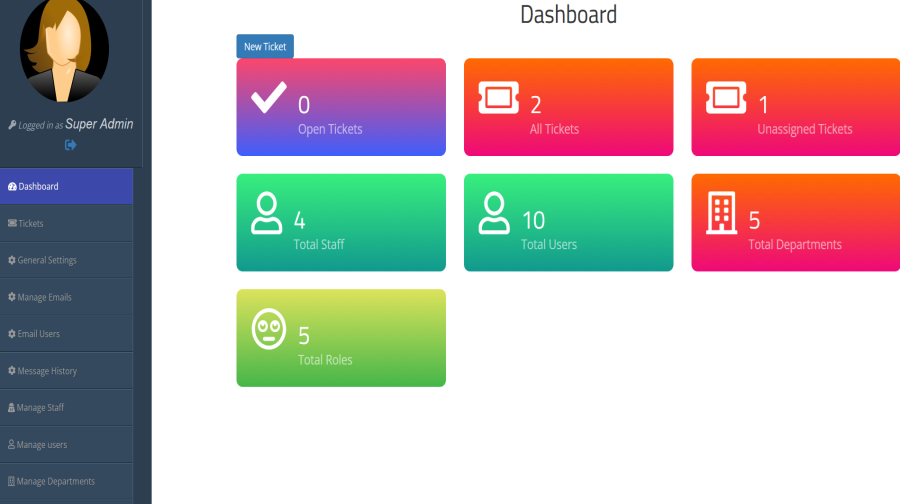
A super administrator can create separate departments and assign staff or administrators to manage them. Customers can submit and track tickets, while staff can respond and maintain ticket history. The product is presented as supporting centralized ticket management for multiple websites from one application.
This model can suit businesses that support different products, services or internal functions. For example, teams can organize requests into Technical Support, Sales and Billing, manage staff and users, categorize or prioritize tickets, and use email notifications for ticket updates. Confirm the exact configuration in the live demo and documentation.
What it does not guarantee: software alone cannot guarantee faster resolutions or customer satisfaction. Results depend on your support staffing, response policies, ticket volume and how consistently your team uses the system.
Key Features
Super Administrator Control
Use a central administrative role to create departments and organize how support requests are assigned.
Separate Departments
Set up departments around your products, services or internal teams, such as billing, sales or technical support.
Department Administrators
Assign separate administrators to departments so requests can be handled by the relevant support team.
Department-Based Tickets
Users choose the relevant department when placing a ticket, giving the support operation a clearer routing structure.
Optional YourFreeWorld Service Add-Ons
If you want to extend the value of your website beyond the core ecommerce functionality, selected YourFreeWorld services can be connected through pre-integrated modules. These services can be used to add marketing, engagement, digital-product and communication capabilities to your business.
Contest Add-On
Incentivize your website with contests designed to encourage participation, increase traffic flow and give you a way to promote contests and prizes to your members.
Email Validation Service Add-On
Validate email addresses submitted by members joining your website so you can maintain cleaner member records and improve the quality of your customer communication.
Push Notifications Service Add-On
Stay connected with customers through push notifications for supported mobile and desktop environments, helping you reach audiences when you have updates or offers to communicate.
Feedback Surveys Add-On
Create customizable exit surveys and feedback sections to collect visitor input and use customer feedback to improve your website, products and sales process.
List Management Service Add-On
Use lead-capture pages, splash page templates and custom templates while managing member lists and email communication through a service designed to reduce the mailing workload on your own server.
Mobile App Building Add-On
Extend your online business with a custom mobile application using our mobile app building service, providing another way for customers to access and interact with your services.
How the Helpdesk Workflow Works
1. Create Departments
The super administrator creates the departments that match the organization’s support needs.
2. Assign Administrators
Give each department a designated administrator responsible for handling its incoming requests.
3. Route User Tickets
Users submit their support tickets to the appropriate department for the assigned team to manage.
Who Can Use This Helpdesk?
Small and Growing Businesses
Organize customer requests across sales, billing and service functions without treating every request as the same type of issue.
Web Hosting and Web Services
Separate technical issues from account or payment questions and assign each department to the appropriate staff member.
Software and Digital Product Sellers
Offer customers a defined place to send product-related questions and direct them to the relevant support team.
Multi-Team Operations
Give different teams responsibility for their own department while retaining a central super-administrator role.
Security and Responsible Operation
Support tickets may contain personal details, account information or other sensitive customer content. Use HTTPS, strong unique administrator passwords, least-privilege access, timely software updates and secure backups. Train staff not to request passwords or unnecessary sensitive information in tickets.
Before launch, test department assignment and role permissions with separate accounts. Confirm that each department administrator can access only the tickets and controls intended for that role. The exact permissions should be verified in the live demo and product documentation.
Installation & Support
For a limited time, we will install this script for you absolutely FREE!
Frequently Asked Questions
It is a self-hosted support-ticket system where users can submit tickets by department and each department can be managed by its assigned administrator.
Yes. The super administrator can create separate departments to organize requests by product, service or support function.
Yes. The current product contains separate department and staff management. Confirm each role’s access permissions in the admin demo before launch.
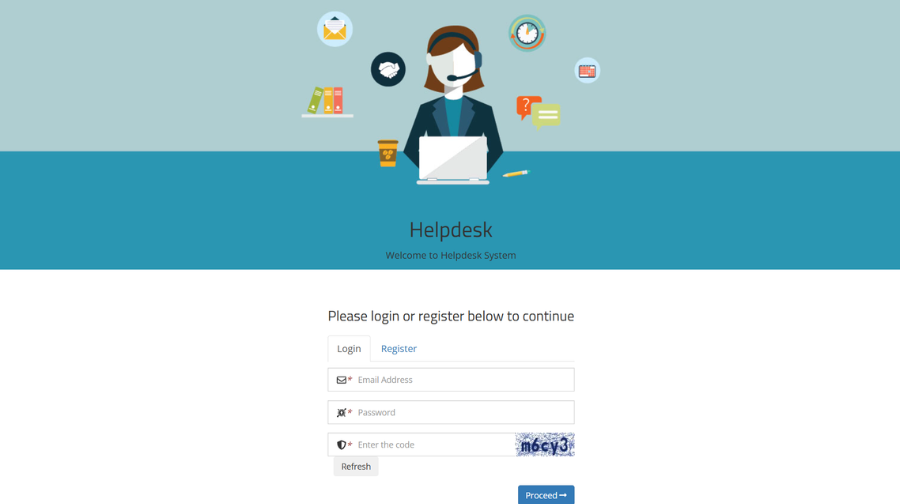
Customers submit tickets through a form and can track ticket status. Staff can respond, and the department structure helps route requests to the right team.
Those are common examples of departments you could create. Choose department names that reflect your actual support operation.
The current script price is $79.
It is presented as a PHP script for your own website, rather than a hosted subscription service. You should arrange compatible web hosting and maintain the installation.
The current product requires a Unix/Linux hosting, PHP 8.2 or higher, MySQL, ionCube Loader, GD Library and cURL.
No software can guarantee that. Department routing can help organize requests, but response times depend on staffing, ticket volume, policies and how the team uses the system.
Use HTTPS, strong unique passwords, limited administrator permissions, backups and timely updates. Avoid collecting unnecessary sensitive information in ticket messages.
Use the Live Demo and Admin Demo links on the current page.
Test ticket routing, department roles, access permissions, email notifications if included, backups, server compatibility and the published license/support terms.
Why Buy From YourFreeWorld?
We build and operate web platforms ourselves, including content, membership, ecommerce and directory-oriented projects. Our script catalog focuses on practical self-hosted PHP software that customers can use as a foundation for their own websites and online businesses.
We aim to describe what each product actually includes, provide technical information and show the software through real screenshots and demonstrations so buyers can make an informed decision.
Developed By
Developed by: Rohit Seth, Lead PHP Architect
Expert in secure, high-scale PHP marketing frameworks since 2003.
Verified Architect — Rohit Seth (22+ Years Experience)